
In today’s digital-first world, businesses need to adapt quickly to ensure they stand out from the competition. For local businesses, one of the most crucial platforms to maximize visibility is Google Maps. But how exactly does SEO help you appear on Google Maps? This guide will walk you through the essential SEO strategies to improve your Google Maps ranking and drive more local traffic to your business.
Understanding Google Maps and Its Importance for Local Businesses
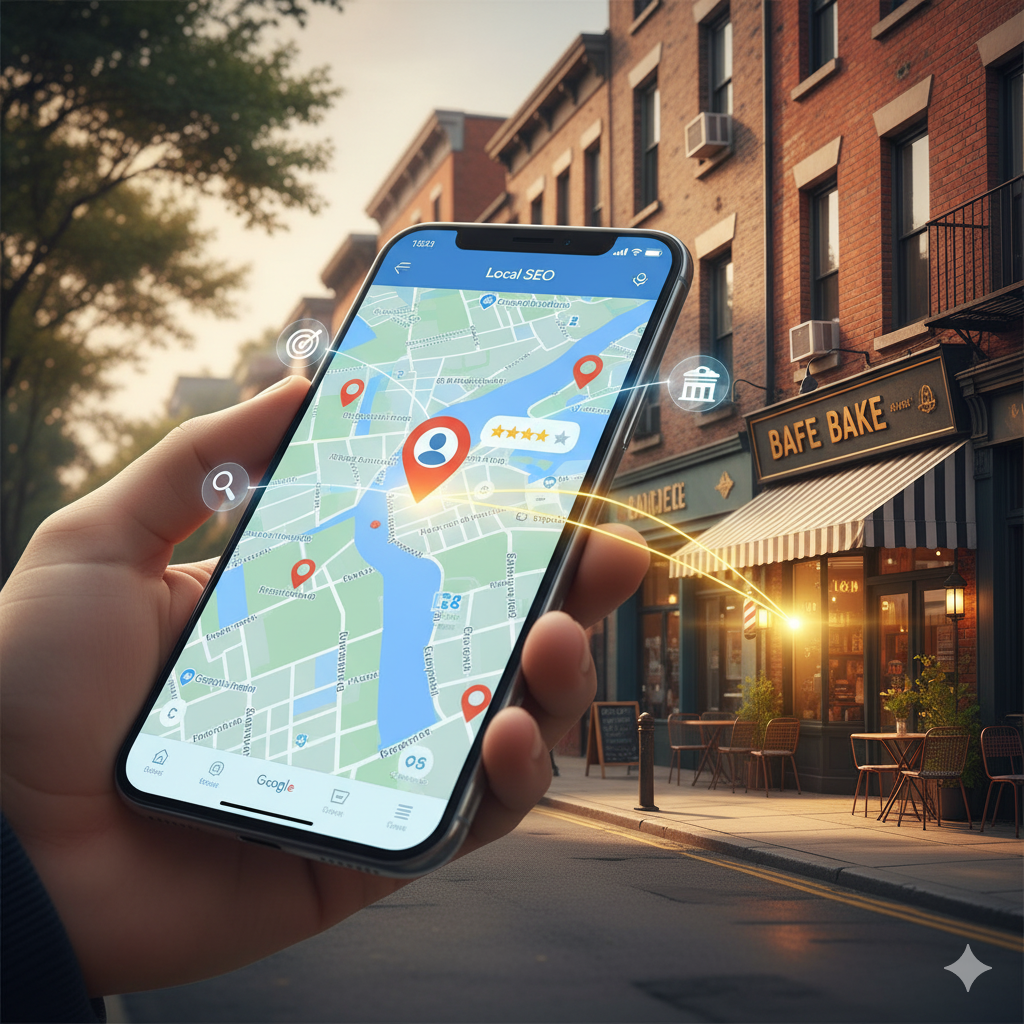
Google Maps is more than just a navigation tool—it’s an essential business directory that helps local customers find services, products, and businesses nearby. When you search for a term like “restaurants near me” or “plumbers in [your city],” Google Maps is often the first thing that pops up. As a local business, appearing prominently on Google Maps can significantly impact your customer acquisition strategy.
But to appear on the map in the first place, you need to optimize your online presence using SEO strategies tailored specifically for local searches.
What is Local SEO and Why Does It Matter for Google Maps?
Local SEO refers to the process of optimizing your website and online presence so that your business ranks higher in local search results—specifically in Google Maps. In essence, it involves ensuring that Google recognizes your business as a relevant and trustworthy result for users who are searching in a specific geographical area.
Effective local SEO can help you:
- Appear in Google’s Local Pack (the list of businesses that show up with a map when someone searches for local businesses)
- Get more click-throughs and calls from potential customers
- Increase your website traffic and improve your brand visibility in your local area
Need Help With Your Marketing or Website?
Not getting enough leads or sales? Get a free consultation and discover how to improve your website and marketing.
- Find out what may be stopping visitors from contacting you
- Discover where your website or marketing could perform better
- Get clear recommendations to improve leads, calls, and conversions
How to Optimize Your Google My Business Profile for Better Google Maps Visibility
One of the most important steps in improving your Google Maps ranking is to ensure that your Google My Business (GMB) profile is properly set up and optimized. Google My Business is a free tool that allows you to manage your online presence across Google, including Search and Maps.
Here’s how you can optimize your GMB profile:
1. Claim and Verify Your Google My Business Listing
If you haven’t already, claim your Google My Business listing. Once your listing is claimed, verify your business using Google’s verification process. Without this step, your business won’t appear on Google Maps.
2. Provide Accurate Business Information
Ensure that your business name, address, phone number, and website URL (NAPW) are accurate and consistent across all online platforms. Inconsistent information can hurt your rankings and confuse potential customers.
3. Select the Right Categories
Google uses categories to understand what your business offers. Choose primary and secondary categories that best describe your business. For example, if you’re a bakery, choose “Bakery” as your primary category and “Cake Shop” as a secondary category.
4. Add Photos and Videos
Visual content is a key factor in helping your business stand out. Businesses with photos and videos tend to get 42% more requests for directions and 35% more click-throughs to their websites. Make sure to upload high-quality images that showcase your products, services, and physical location.
5. Collect and Respond to Customer Reviews
Customer reviews are a vital ranking factor in Google Maps. Not only do they influence your rankings, but they also impact potential customers’ decision-making process. Encourage satisfied customers to leave positive reviews, and always respond to both positive and negative feedback in a timely and professional manner.
How to Optimize Your Website for Local SEO and Google Maps
While Google My Business plays a significant role in Google Maps visibility, your website is also an essential element of local SEO. Here’s how to optimize your website for better local search rankings:
1. Include Local Keywords in Your Content
Keyword optimization is critical for both your website and Google Maps ranking. Make sure to include location-specific keywords throughout your website. For example, if you run a landscaping business in Houston, include phrases like “landscaping services in Houston” or “Houston lawn care experts.”
2. Optimize Your Website for Mobile
Since more than half of all Google searches are done on mobile devices, ensuring that your website is mobile-friendly is critical for local SEO. Google also considers mobile-friendliness as a ranking factor. Use responsive design to ensure your website is easy to navigate on all screen sizes.
3. Create Localized Content
Develop content that speaks directly to your local audience. Write blog posts or create landing pages dedicated to local topics, events, or issues that are relevant to your business and your customers. This helps Google understand that your business is not only relevant but also locally based.
4. Implement Schema Markup for Local Business
Schema markup is a form of code that you can add to your website to provide search engines with more information about your business. Adding local business schema markup helps Google understand your business's name, address, phone number, and other critical information, helping improve your local search visibility.
5. Build Local Backlinks
Backlinks are another important ranking factor. Focus on building backlinks from reputable local websites, such as local business directories, chamber of commerce websites, or local news outlets. These backlinks signal to Google that your business is trustworthy and relevant to your community.
How Citations Impact Your Google Maps Ranking
A citation is any mention of your business’s name, address, and phone number on other websites. Citations help Google verify that your business is legitimate and recognized locally. The more consistent citations you have across the web, the more likely you are to appear on Google Maps.
Key Citation Tips:
- Consistency is key: Ensure that your NAPW (Name, Address, Phone Number, Website) is consistent across all platforms, including local directories and review sites.
- Submit to Local Directories: Make sure your business is listed on key local directories like Yelp, Yellow Pages, and others specific to your industry.
How Social Media Presence Influences Your Google Maps Ranking
Your social media profiles can also play a role in improving your local SEO. Regularly posting on platforms like Facebook, Instagram, and Twitter can drive engagement and boost your local relevance.
Tips for Leveraging Social Media:
- Share your location: Regularly tag your business location in posts to reinforce your local relevance.
- Engage with customers: Respond to comments, share user-generated content, and encourage local interactions to boost your visibility.
- Include keywords and hashtags: Use local hashtags in your posts to increase discoverability.
Conclusion: The Power of SEO for Appearing on Google Maps
Local SEO is essential for businesses that want to boost their visibility on Google Maps and attract local customers. By optimizing your Google My Business profile, implementing local SEO strategies on your website, and fostering positive customer reviews, you can significantly improve your chances of appearing in Google Maps’ local search results.
Remember, SEO is an ongoing process. Continuously monitor your performance, adapt to changes in search trends, and consistently update your information to maintain a strong presence on Google Maps. By following these strategies, you'll not only improve your visibility but also build stronger connections with local customers, ultimately driving business growth.